Eye and Body Comfort While Watching TV: The Science of Perfect Placement
Ergonomics is a discipline born at the intersection of engineering and art. However, first and foremost, it is about comfort — the daily comfort of your lifestyle. A living space should be beautiful, convenient, and practical. In this review, we will explore the topic of optimal screen height and explain why the “perfect eye level” is actually a relative concept.
Why This Topic Matters
The human body was not designed for hours of static contemplation, even if what you are watching is the most interesting show in the world. When we stare at a screen for a long time, our bodies involuntarily begin to adjust to its placement. If the monitor is mounted too low, we tuck our necks like a turtle, pushing the chin forward. Conversely, if the monitor is too high, we mimic a giraffe, stretching the neck upward.
In both cases, all muscles — especially those in the neck and shoulders — become strained and suffer significantly. As a result, we begin to experience chronic pain and pathological tension, often without realizing that the cause of the discomfort is far more obvious than it seems at first glance. To avoid making the body suffer due to simple oversight, every detail must be thought through — including the specific positioning of your television.
Protect Your Cervical Spine
The average human head weighs approximately 5 kilograms (about 11 pounds). When tilting forward by just 15 degrees, the load on the cervical vertebrae increases to 12 kg; at a 45-degree tilt, it reaches up to 22 kg. These are substantial figures. If you constantly pull your neck forward, you may eventually face neuralgia — the pinching of nerve endings — or negative transformations of the intervertebral discs. This leads to spinal curvature and severe back pain, while the shoulders and neck become locked in tension. It becomes painful to sit, stand, or lie down — pain becomes a constant companion. Since relying on painkillers is not a long-term solution, it is best to prevent these situations entirely.
Dry Eye Syndrome and Visual Strain
Viewing angles directly affect how wide our eyelids are open. When we look up or straight ahead, the palpebral fissure is fully opened, which accelerates the evaporation of the tear film. Ophthalmologists suggest that a gaze directed slightly downward allows the eyelid to cover a larger portion of the cornea, keeping it hydrated and comfortable.
The Mathematics of Comfort: Key Indicators
To find the ideal spot, one must consider three variables: the distance from the eyes to the screen, the height of the seat, and the natural angle of the gaze.
The “Top Line” Rule
A fundamental rule of ergonomics states that the top third or the top edge of the screen should be at your eye level. This allows the bulk of the content to be situated within the zone of a natural downward gaze (approximately 15–20 degrees below the horizontal line).
Optimal Visual Tilt
Scientific research in workplace ergonomics (such as OSHA guidelines) recommends that the center of the screen be located 15–20 degrees below the horizontal line of sight. In this position, the eye muscles are at their most relaxed state.
- Horizontal line. A straight gaze forward.
- Comfort zone. Dropping the gaze 15° downward.
- Maximum limit. Dropping the gaze up to 30° (beyond this, the head begins to tilt).
Setting Up Your Workspace: A Step-by-Step Guide
Before moving the monitor, you must correctly adjust your chair, as eye height is a derivative of your sitting posture.
Step 1: Chair and Posture Adjustment
- Sit deep in the chair so your back has full support.
- Your feet should be flat on the floor, and your knees should be bent at a 90-degree angle.
- Relax your shoulders; this is your “zero point”.
Step 2: Determining Distance
The distance to the screen should be approximately the length of your outstretched arm (from 50 to 70 cm). If the monitor is very large (over 27 inches), the distance should be increased to avoid the need to constantly turn your head.
Step 3: Correcting Monitor Height
Close your eyes, relax, and slowly open them. The point where your gaze first falls should correspond to either the browser’s search bar or the top border of the active window. If the monitor sits too low on its factory stand, use specialized brackets or risers.
Considerations for Different Device Types
Recommendations for an office monitor do not always apply to a home theater or a laptop.
Laptops: The Ergonomic Trap
The design of a laptop forces us to choose between the correct position for our hands and the correct position for our neck. If the keyboard is comfortable for typing, the screen is usually too low.
- The Solution: Use a laptop stand to raise the screen to eye level and connect an external keyboard and mouse.
TVs and Home Cinemas
When watching TV, we usually adopt a more relaxed, semi-reclined posture. This shifts the “horizontal” line of sight.
- Installation Height: The center of the TV should be at the eye level of a seated person (usually about 100–110 cm from the floor).
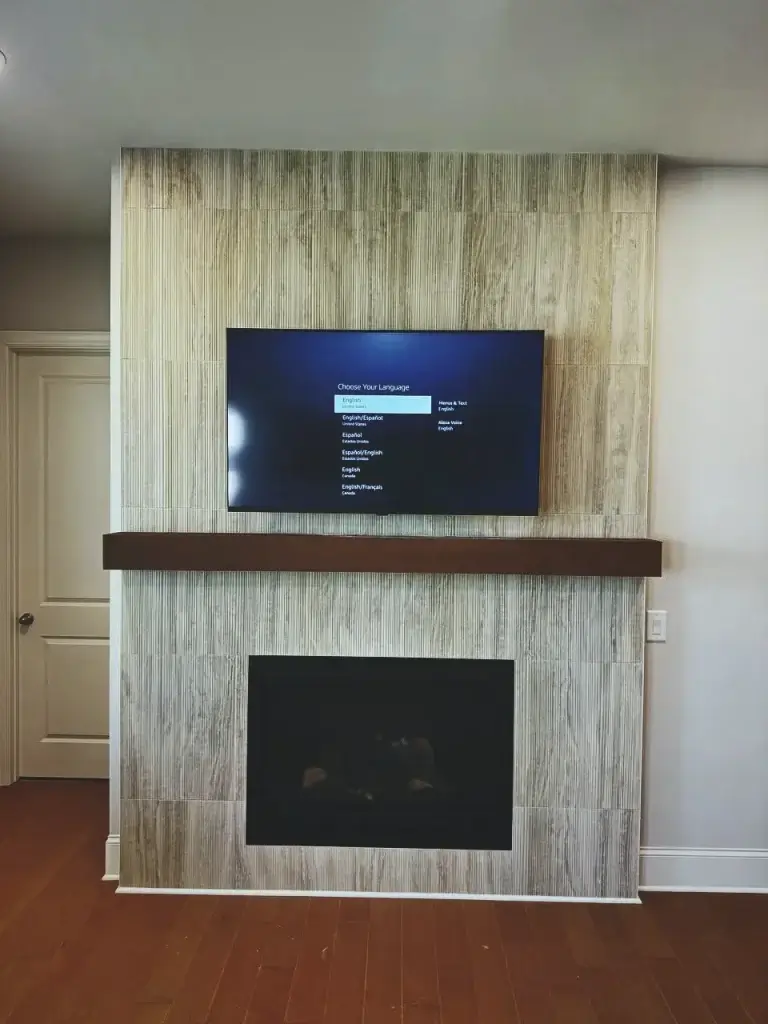
- Common Mistake: Mounting a TV above a fireplace. This forces the viewer to look upward, creating critical neck strain in as little as 20 minutes.
Advanced Tips: Lighting and Glare
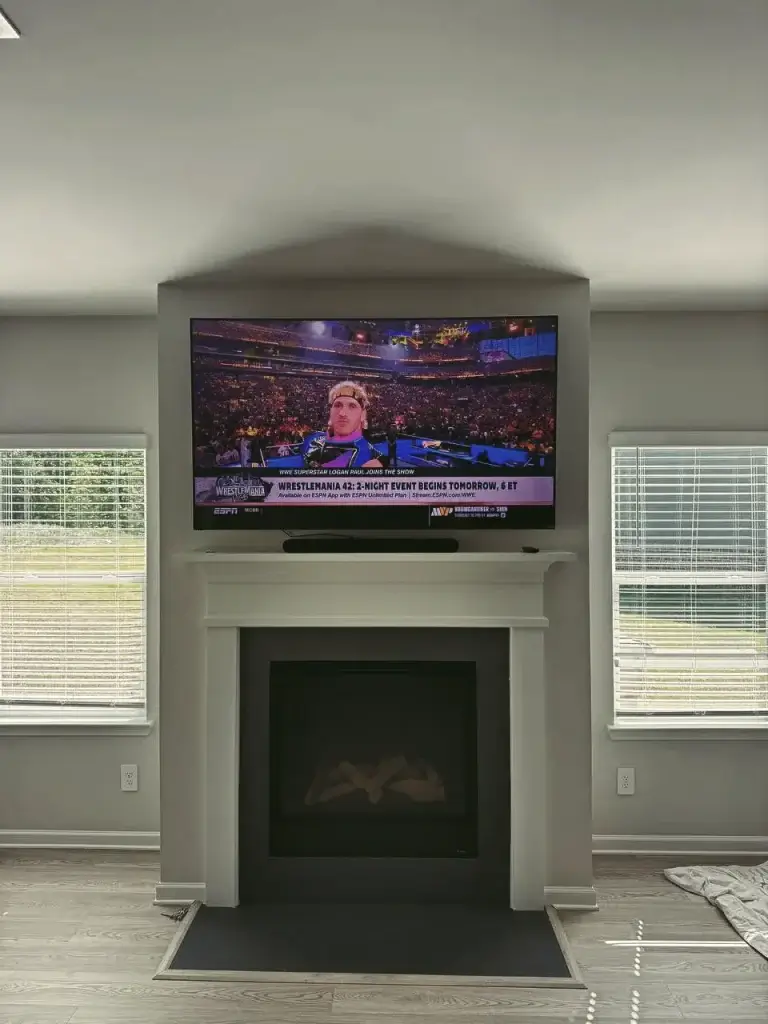
Even a perfectly positioned screen will cause discomfort if there is glare. Reflected light forces us to adopt strained postures (leaning forward or to the side) to see details.
- 1. Perpendicular Placement: The monitor should be placed at a 90-degree angle to windows.
- 2. Bias Lighting: Use warm lights behind the monitor to reduce the contrast between the bright screen and the dark wall. This relieves the load on the eye’s ciliary muscle.
Summary Checklist
- The top frame of the monitor is at eye level or slightly below.
- Your head is not tilted forward or thrown back.
- You can read text at the bottom of the screen by moving only your eyes, not your neck.
- The distance allows you to see the entire workspace without turning your head.